SPOTIO · Lead Product Designer · 2022–2024
AI-Powered
Innovation
Designing five AI-native tools for field sales — reducing onboarding time, automating repetitive tasks, and giving reps, managers, and admins the confidence to act faster and smarter.
The Challenge
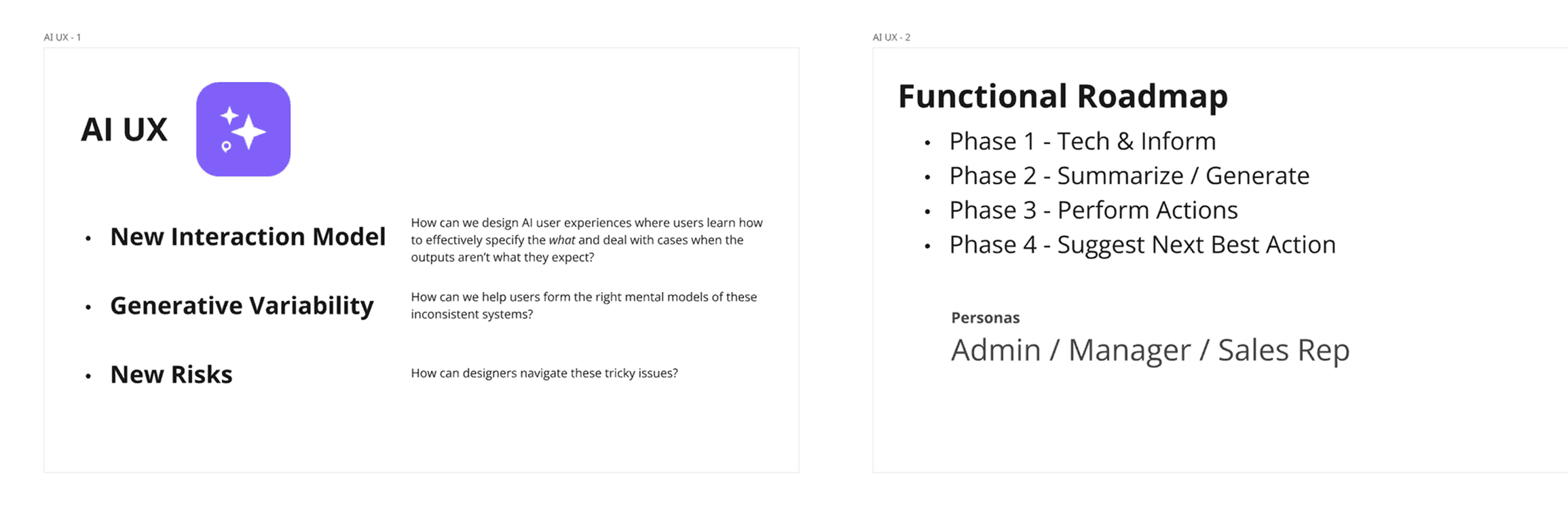
AI with huge potential — and no existing mental models.
In high-velocity field sales, great AI doesn't just assist — it accelerates decision-making and simplifies execution. But introducing AI into an established sales workflow came with a core design challenge: users had no existing mental models for how these features would behave, what to trust, and when to act.
My role was to ensure that five AI-powered tools felt seamless in the flow of work — grounded in user research, validated through testing, and designed to build trust from the first interaction.
Design Thinking in Action
A structured path through ambiguity
With AI as a brand-new concept in the platform, there were no established usage patterns to rely on. Design Thinking gave us a clear, repeatable process to take something abstract and turn it into tools people could understand and trust.
Empathize
User interviews & field observation to understand real workflows
Define
Need statements, personas, and scenario mapping
Ideate
Crazy 8s, cross-functional workshops, and AI voice exploration
Prototype
Low-fi wireframes to high-fidelity Figma flows
Test
Moderated usability tests with matched personas
Implement
Visual QA across web and mobile against Figma specs
Empathize
Understanding the field rep's world
We began with discovery research across three core user types: Sales Reps, Managers, and Admins. Remote interviews were recorded via Gong — whose AI-powered transcription and summaries accelerated our insight extraction significantly.
Affinity diagram — clustering insights across personas

Cross-functional synthesis workshop
With a rich set of qualitative data, I facilitated a workshop with Product, CX, and Engineering teams to review the affinity clusters, connect pain points to AI opportunity areas, and vote on priorities based on user value, business impact, and feasibility.
Define
Framing the right problems
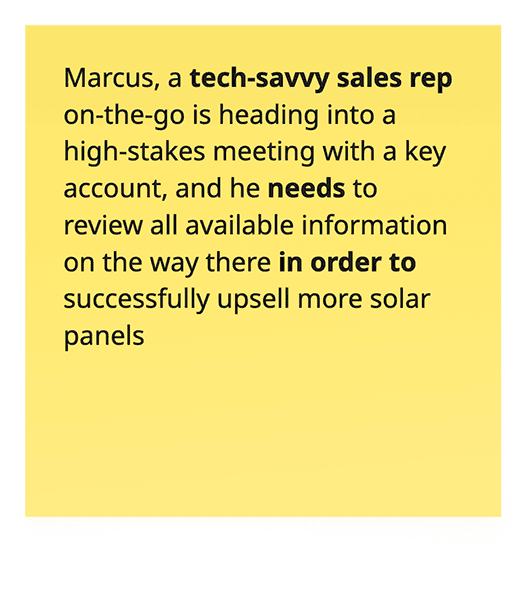
User Need Statements translated raw research into actionable problem frames: [A user] needs [a need] in order to accomplish [a goal]. We challenged each statement — does it launch us into ideation? Does it capture nuance?
User need statements
User scenarios by persona
Adam — New Sales Rep
AI-Powered Onboarding in the Field
Adam missed formal SPOTIO training. On his first day in the field, the AI Chat Assistant surfaces contextually when he opens a lead record — offering step-by-step guidance in natural language, right inside the app. He gets through his first client interaction without leaving the workflow.
James — Regional Sales Manager
When Performance Questions Demand Clear Answers
Asked mid-meeting why a region is underperforming, James had inconsistent logs and unclear notes. AI Summarization compiles each rep's weekly activity into a digestible report. He walks into every stakeholder sync with real answers.
Chris — Company Admin
Simplifying Complex Setup
Restructuring the sales model, Chris was unsure how role changes would cascade through permissions and reporting. The Advanced AI Chat — trained on internal documents — flags potential mismatches as he makes each change, saving hours of trial and error.
Marcus — Senior Sales Rep
Smarter Pre-Visit Prep On the Go
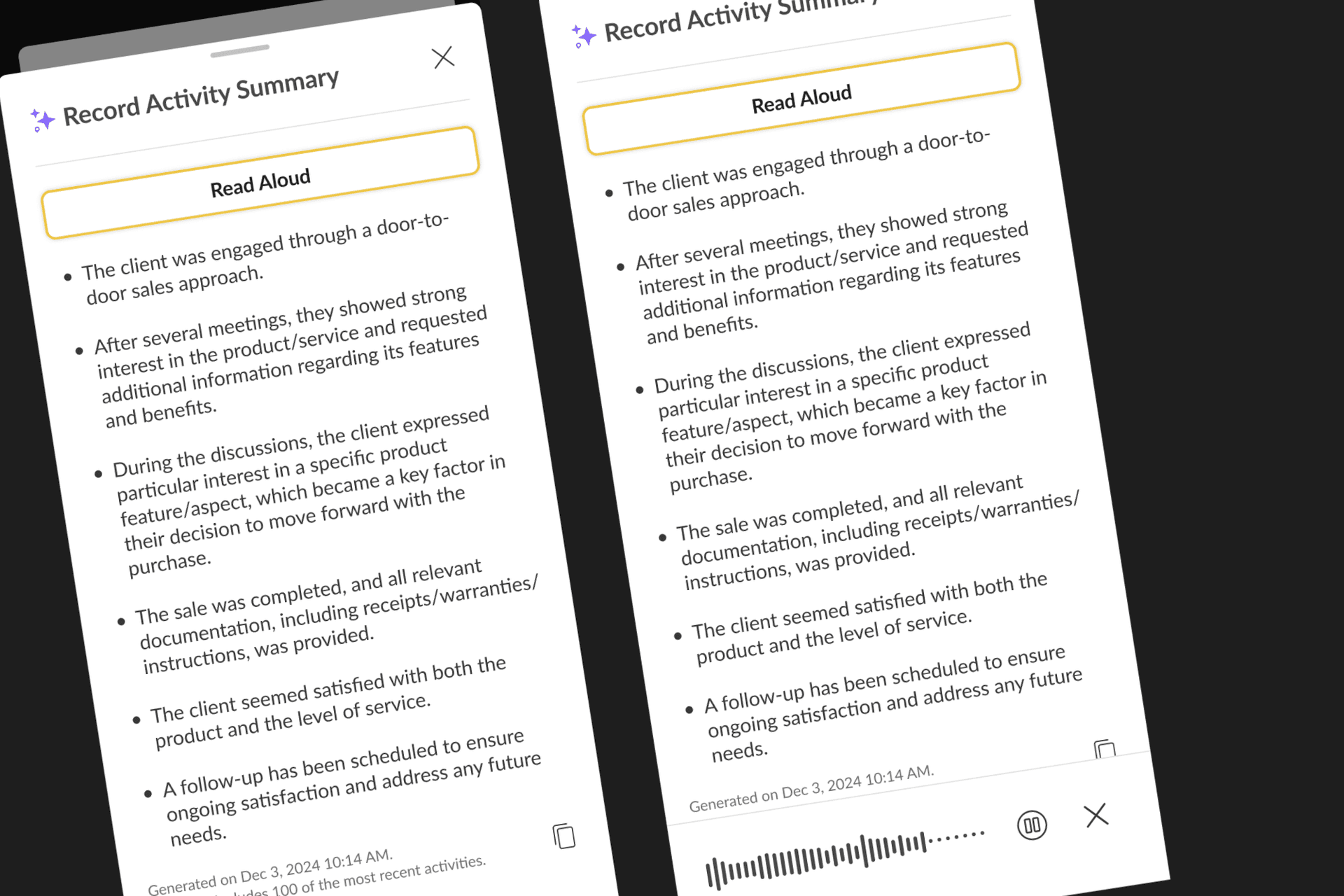
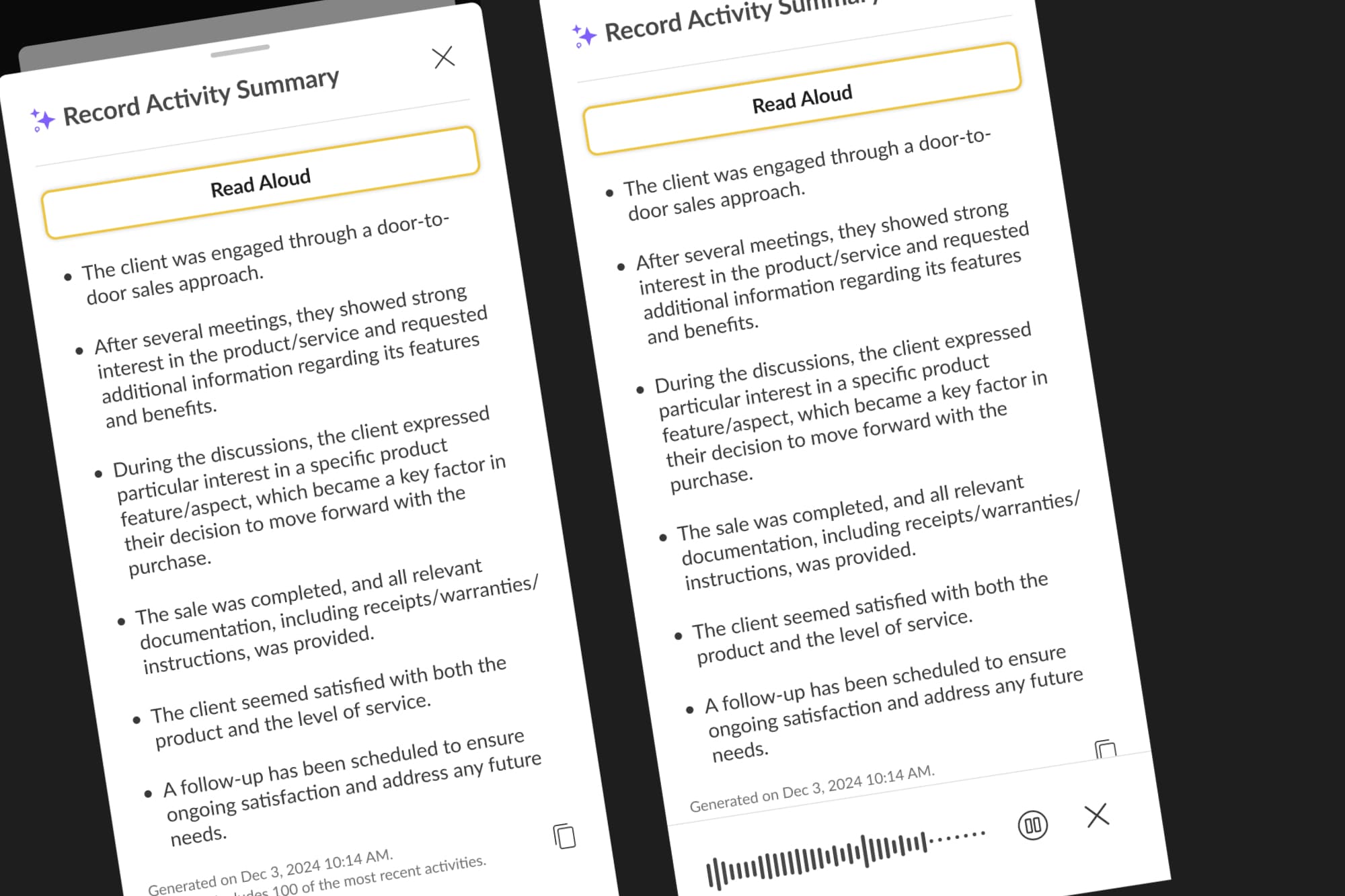
Heading into a high-stakes meeting with an account he hadn't touched in months, Marcus had fragmented notes across dozens of interactions. One tap on the AI Summary button gives him the full picture — and reads it aloud while he drives.
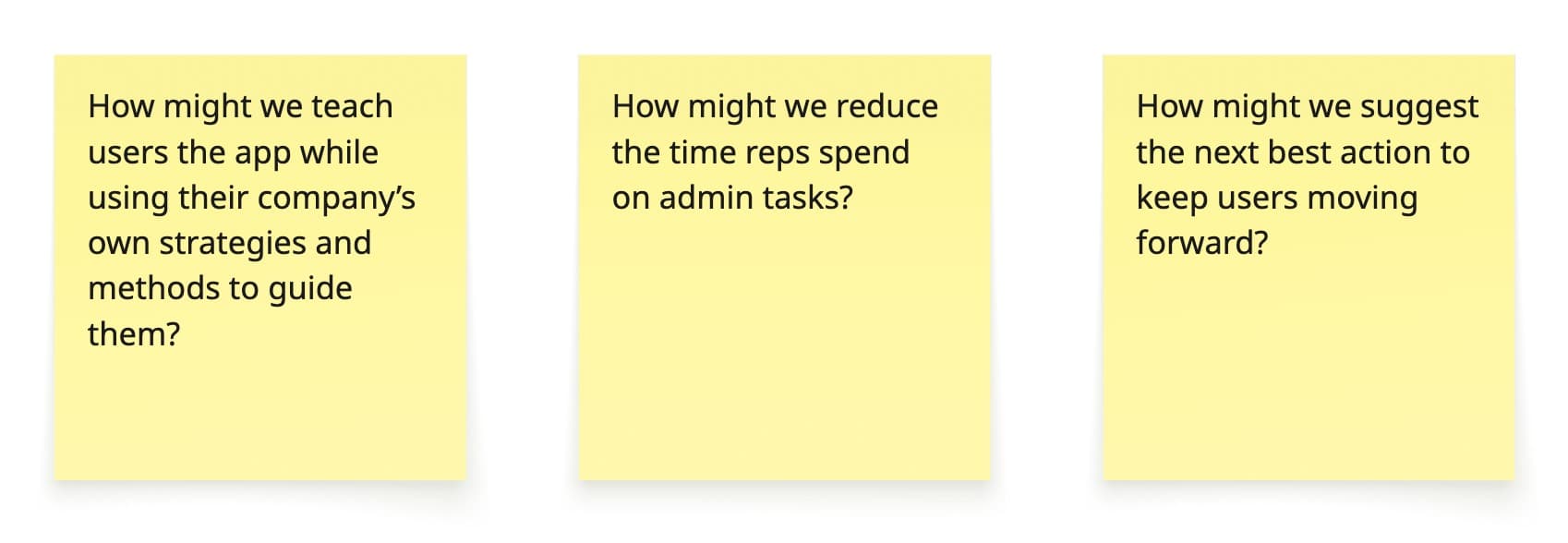
How Might We — bridging problem to solution
Ideate
Generating without judgment
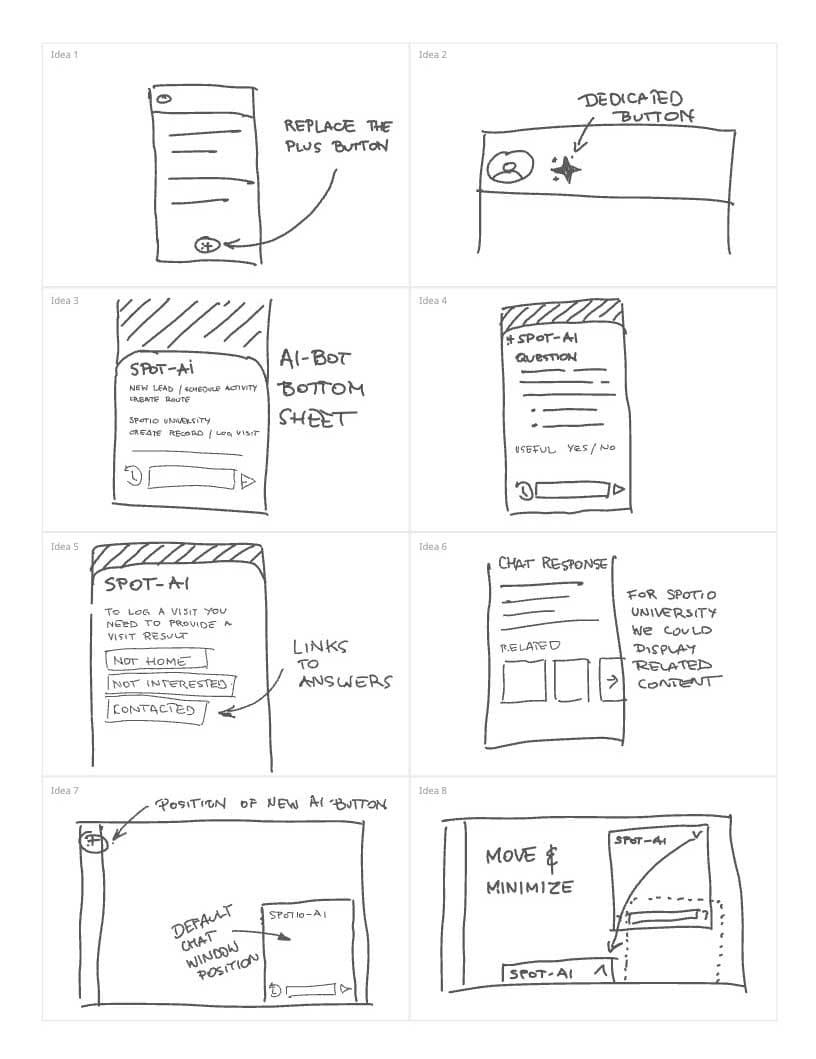
I introduced Crazy 8s to push for divergent thinking — 8 ideas in 8 minutes, sparking unexpected directions. Beyond layout and functionality, we ran a dedicated workshop around the AI assistant's voice: professional, empathetic, confidently helpful — never robotic.
Crazy 8s ideation exercise
Prototype
From rough sketches to high-fidelity flows
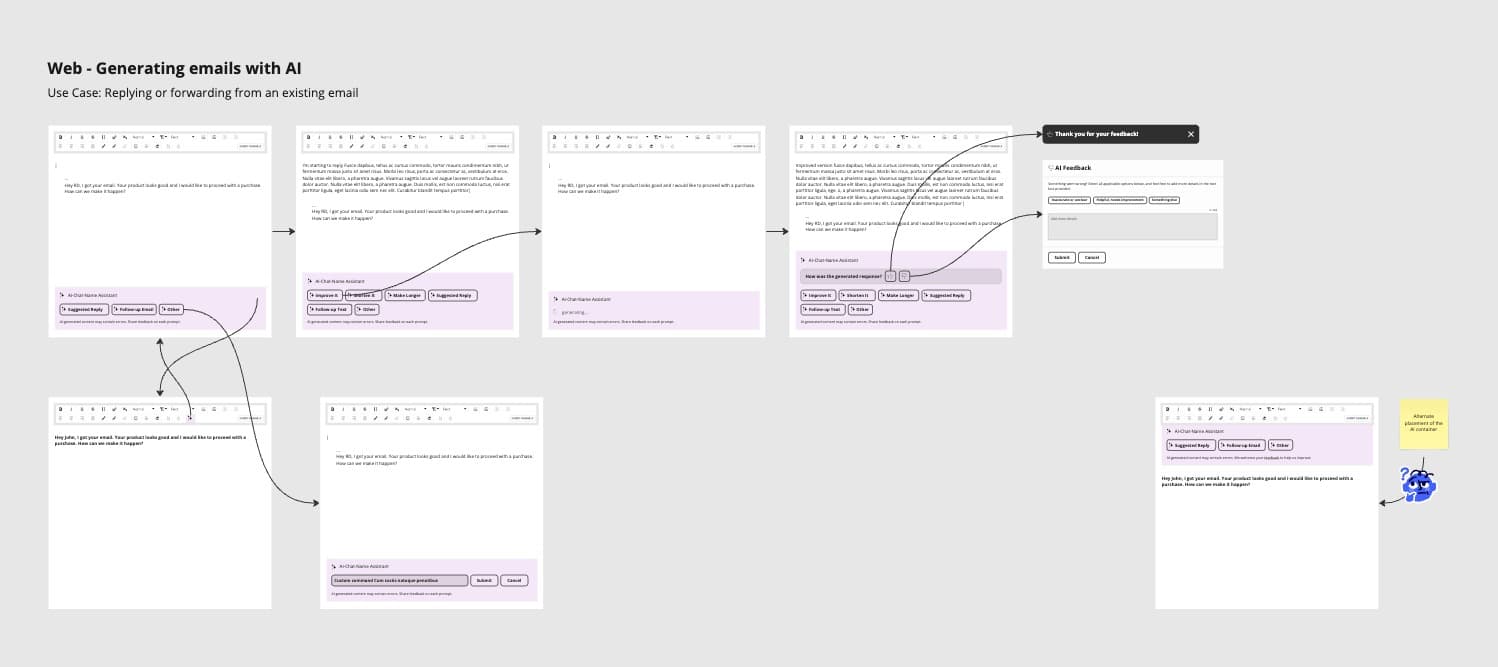
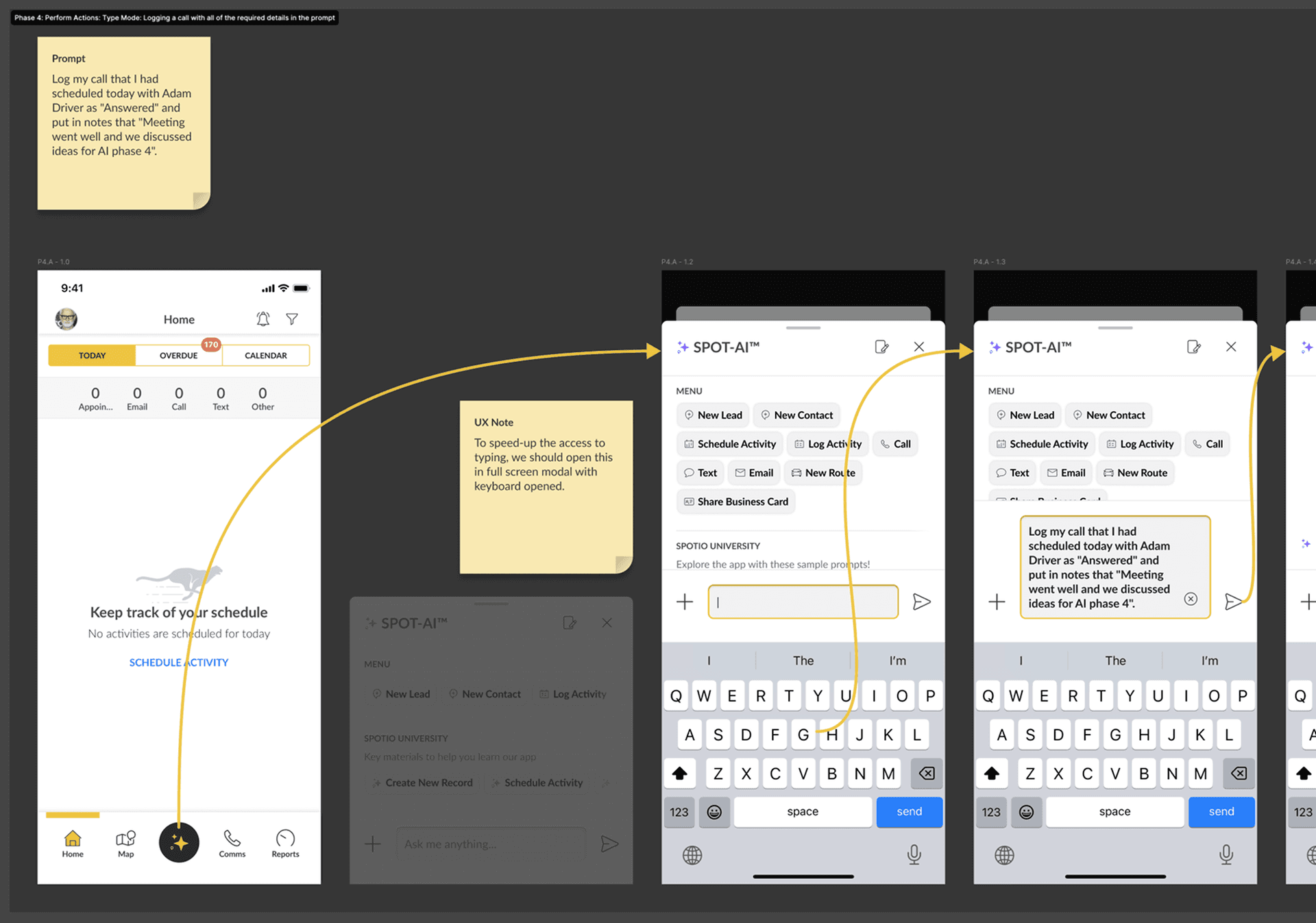
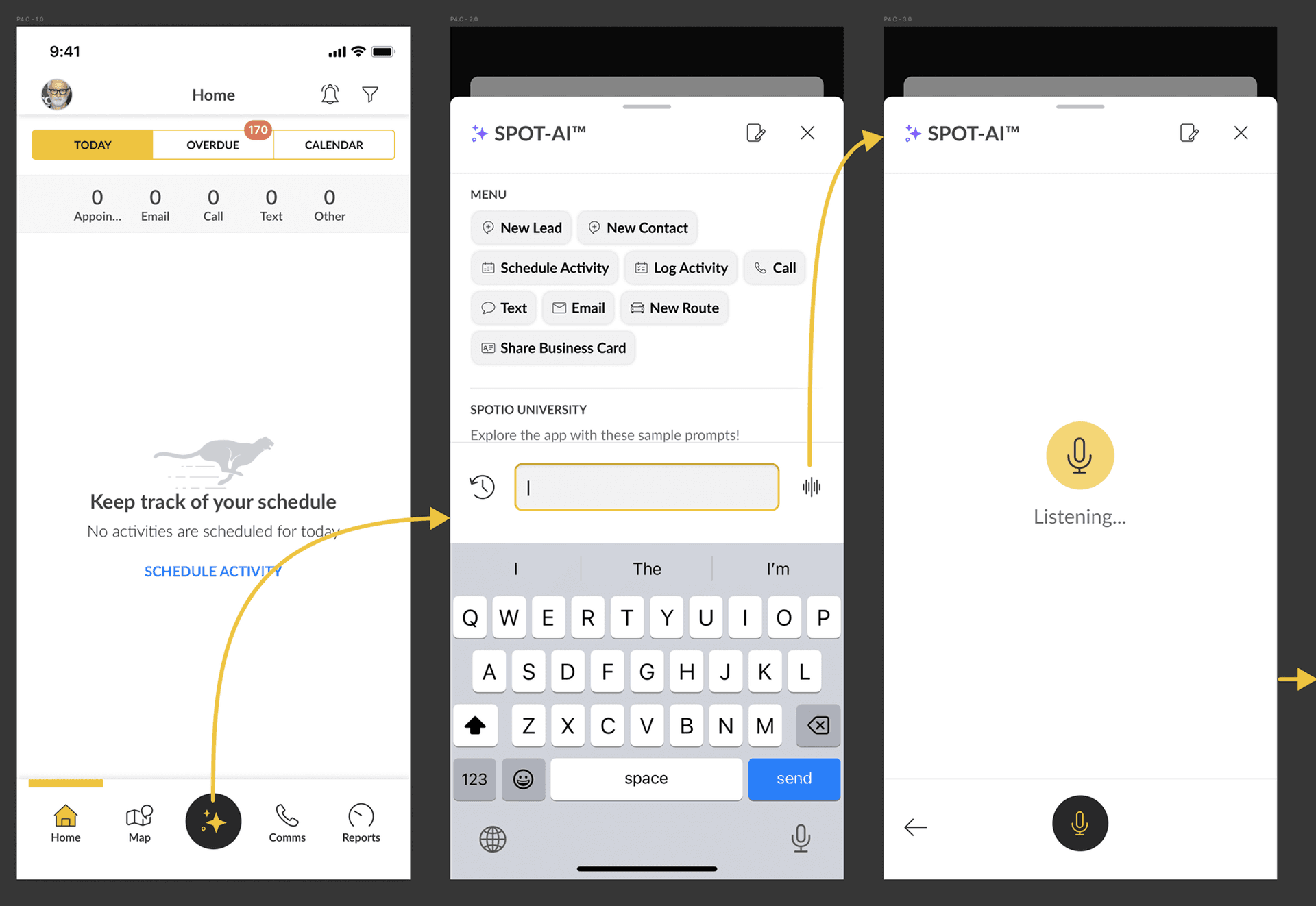
Low-fidelity wireframes in Miro aligned engineering and CX on structure before any visual investment. High-fidelity Figma prototypes — built with Figma's branching feature to safely test against existing UI — were shared with users for moderated testing.
Low-fidelity wireframes
AI Summarization — mobile-first design
What We Shipped
Five AI tools, three user roles
Each feature was grounded in a specific user scenario, validated through testing, and polished through visual QA before launch.
AI Chat Assistant
A contextual assistant that surfaces inside the active workflow—guiding new reps through lead logging, visit tracking, and record updates without requiring them to leave the screen.
AI Summarization
One tap generates a clean, mobile-friendly digest of a lead's full history—sentiment trends, recent visits, open tasks, and next steps. Designed for reps preparing on the go, with an optional read-aloud mode for safe in-car use.
Generative Messaging
AI-drafted follow-up messages tailored to each rep's activity gaps and coaching needs. Managers can review and send with one tap—turning scattered data into personalized outreach.
Advanced AI Chat (Admin)
A company-knowledge-trained assistant for admins making configuration changes. It flags permission mismatches, territory conflicts, and reporting misalignments in real time—before they become problems.
Next-Best-Action & Automation
Strategic AI recommendations surfaced at the right moment: log this visit, assign this rep, follow up on this account. Reps can trigger automations directly from the chat interface.
Key Learnings
What designing for AI taught me
Weave AI into existing patterns
Users trust what feels familiar. Rather than inventing new paradigms, we embedded AI into moments they already knew — the lead record, the visit log, the message thread. The power came from the context, not the novelty.
Design for uncertainty and edge cases
AI fails. We designed explicit fallback states, graceful degradation, and clear escalation paths. When the assistant didn't have enough data, it said so — and offered a path forward rather than a dead end.
Tone and timing are the whole product
A perfectly functional AI feature can still feel wrong. We ran workshops specifically around voice — professional, empathetic, confidently helpful, never robotic. The right words at the right moment built more trust than any technical capability.