SPOTIO · Lead Product Designer · 2019–2022
Routing
Enhancements
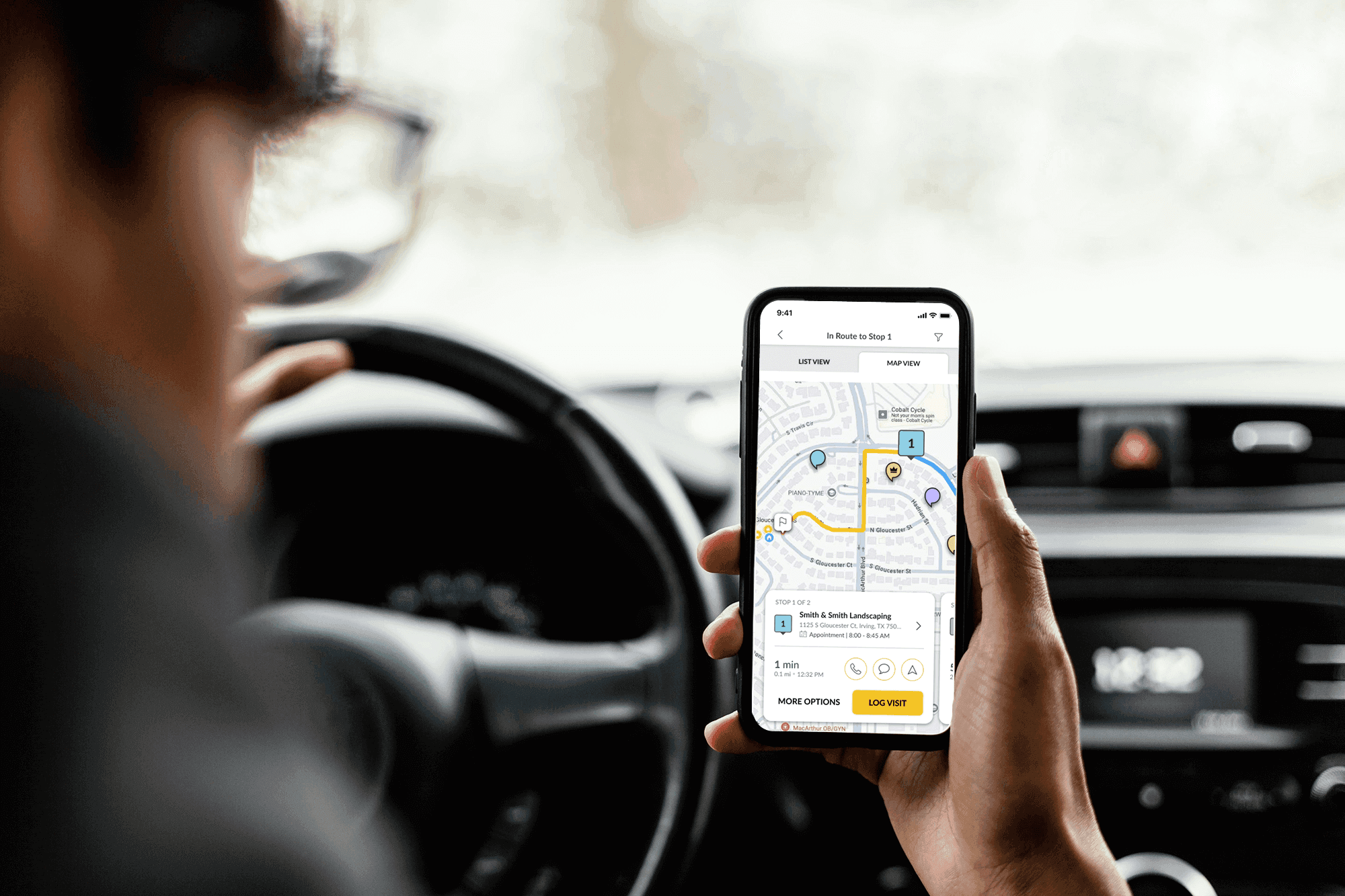
Reducing a 13-step workflow to a single action for field sales reps — by rethinking how routes are built, tracked, and extended in the field.
The Problem
A 13-step process before a rep could start their day.
Field sales reps at SPOTIO needed a fast way to route their scheduled appointments before heading out. The existing flow required 13 separate manual steps — rebuilding a route that should have been obvious from their calendar.
- Calendar activities couldn't be added to routes directly
- No persistent indicator when a route was active
- Adding mid-route stops required exiting the routing flow
- Real-world conditions made complex flows impractical
The previous flow — all 13 steps

Research & Discovery
Understanding the field rep's world

Research Methods
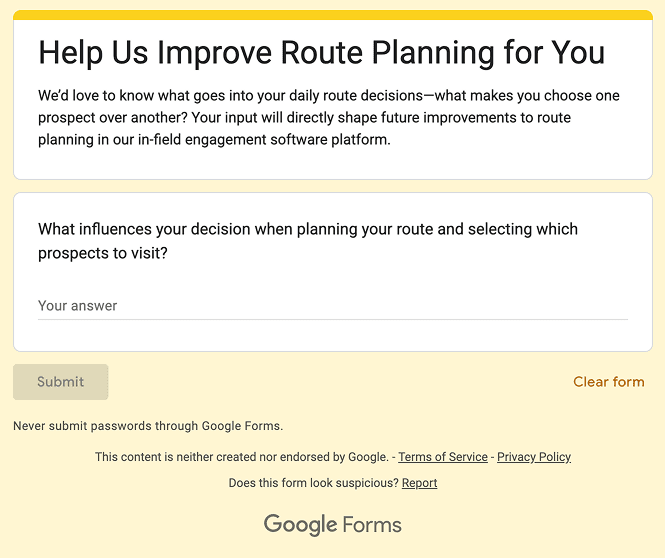
Field shadowing in Indianapolis
Spending a full day riding with field reps was the single most valuable research activity. Seeing friction in real conditions — distracted, time-pressured, working from a parking lot — shaped every decision.
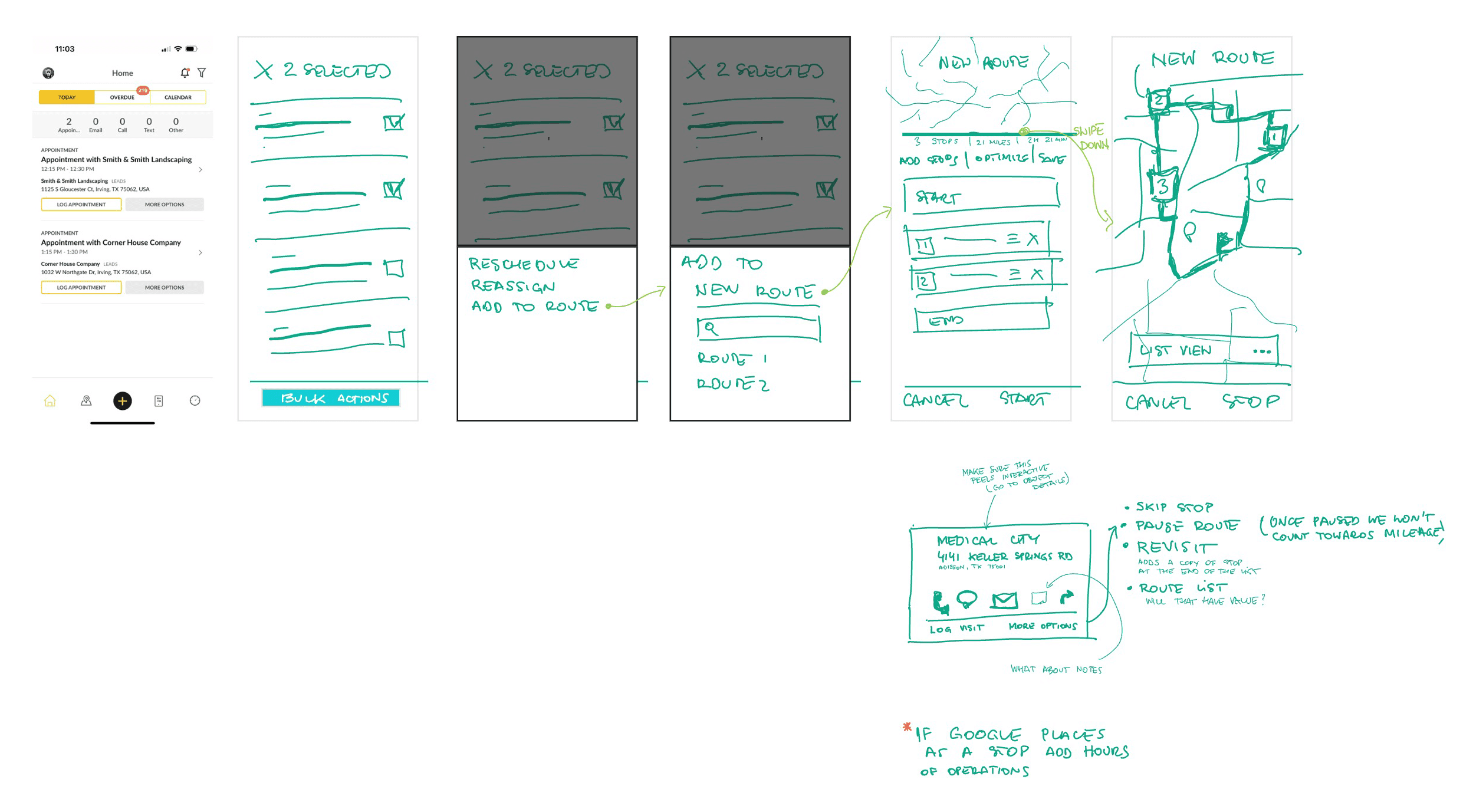
Ideation session
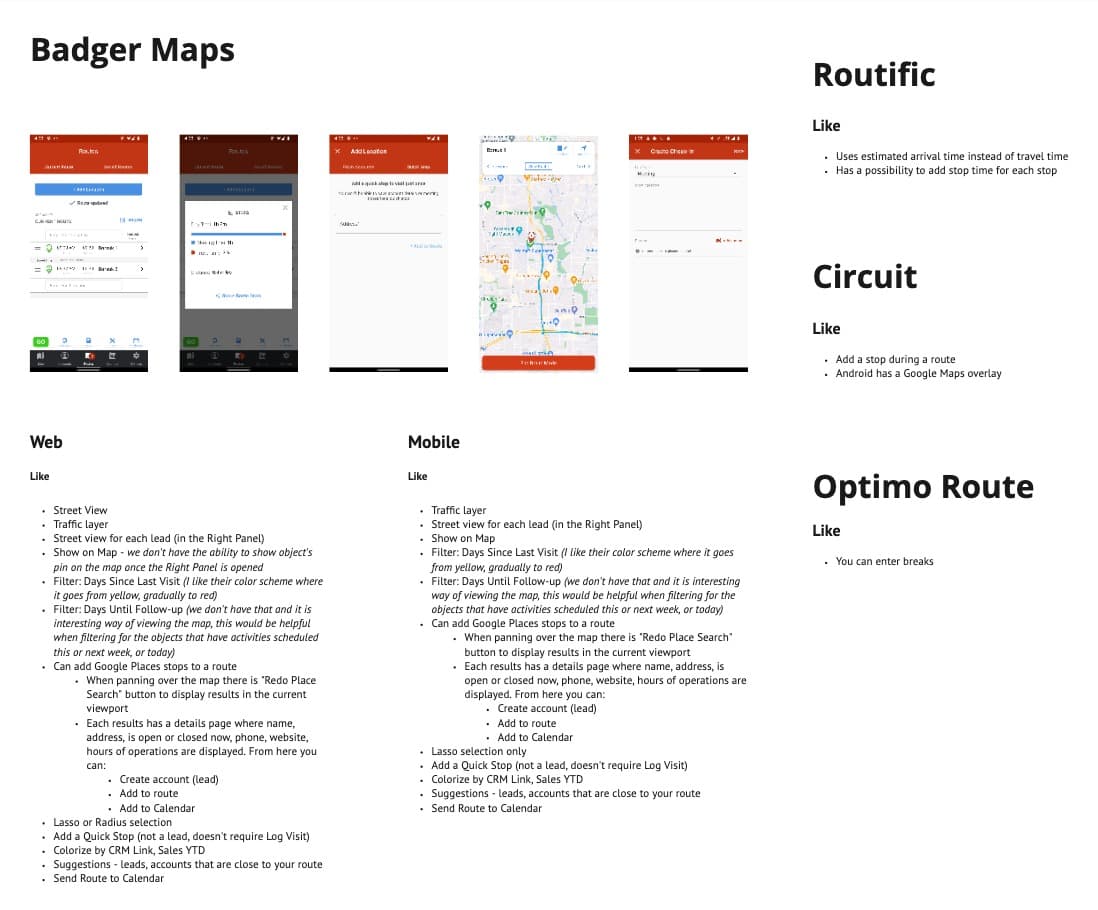
Competitive analysis
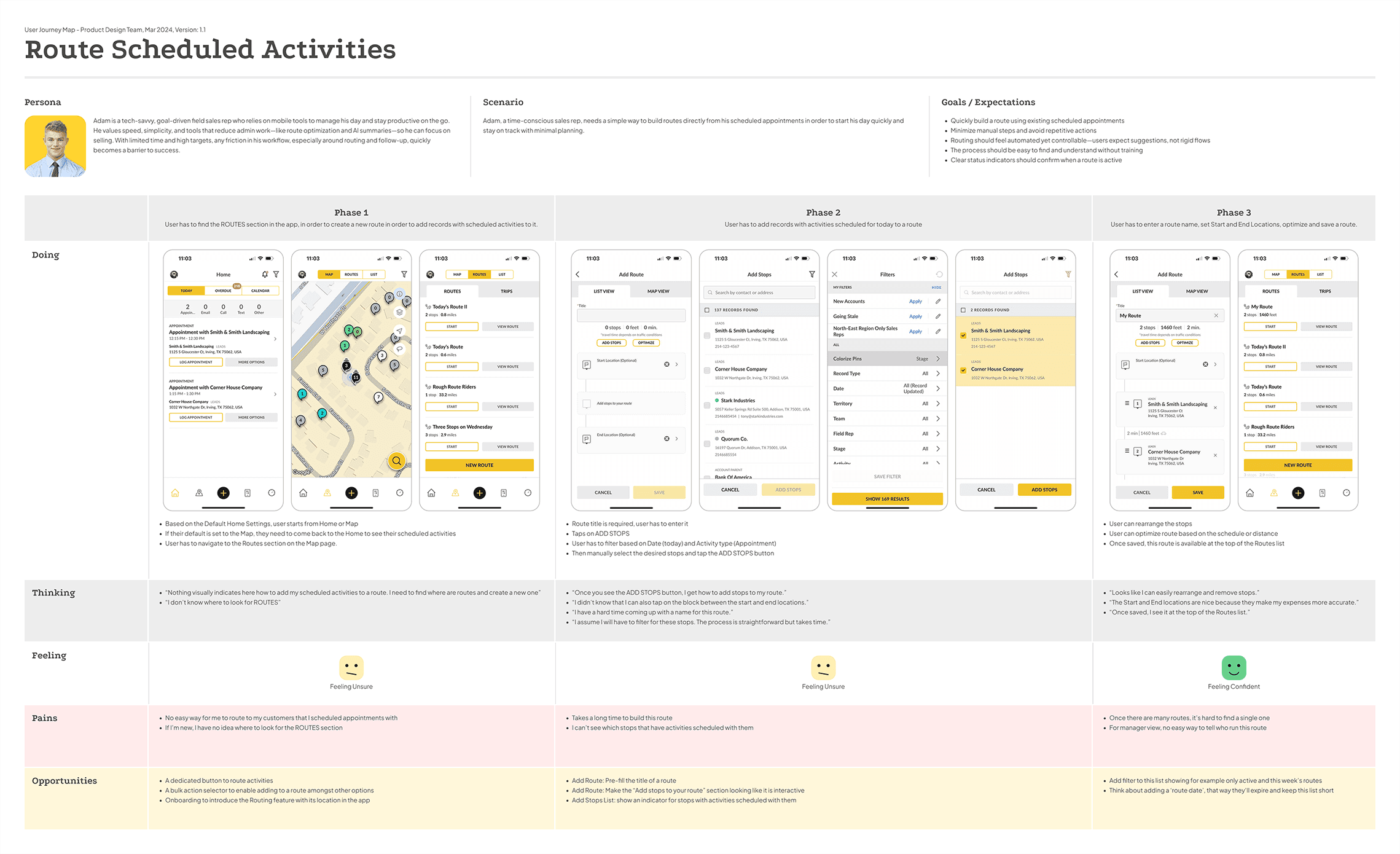
User journey map
Key Insights
What the research revealed
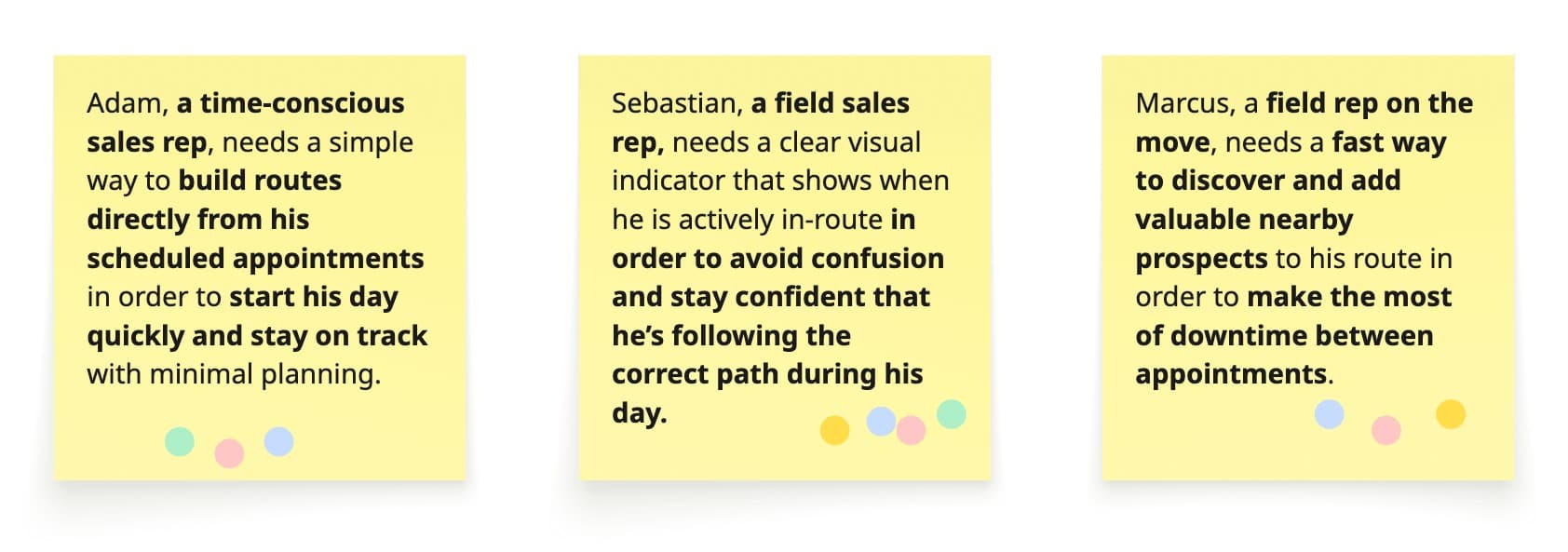
Calendar activities couldn't be routed
Users struggled to add scheduled appointments to a route. The action was buried and non-obvious, forcing manual workarounds that wasted time before the day even started.
No active routing status
There was no persistent indicator showing whether a route was active. Reps frequently lost their place mid-route when navigating to other parts of the app.
Mid-route additions were disruptive
Adding a nearby record as a stop required exiting the routing flow entirely — breaking momentum for reps already out in the field.
Three Core Solutions
What we designed
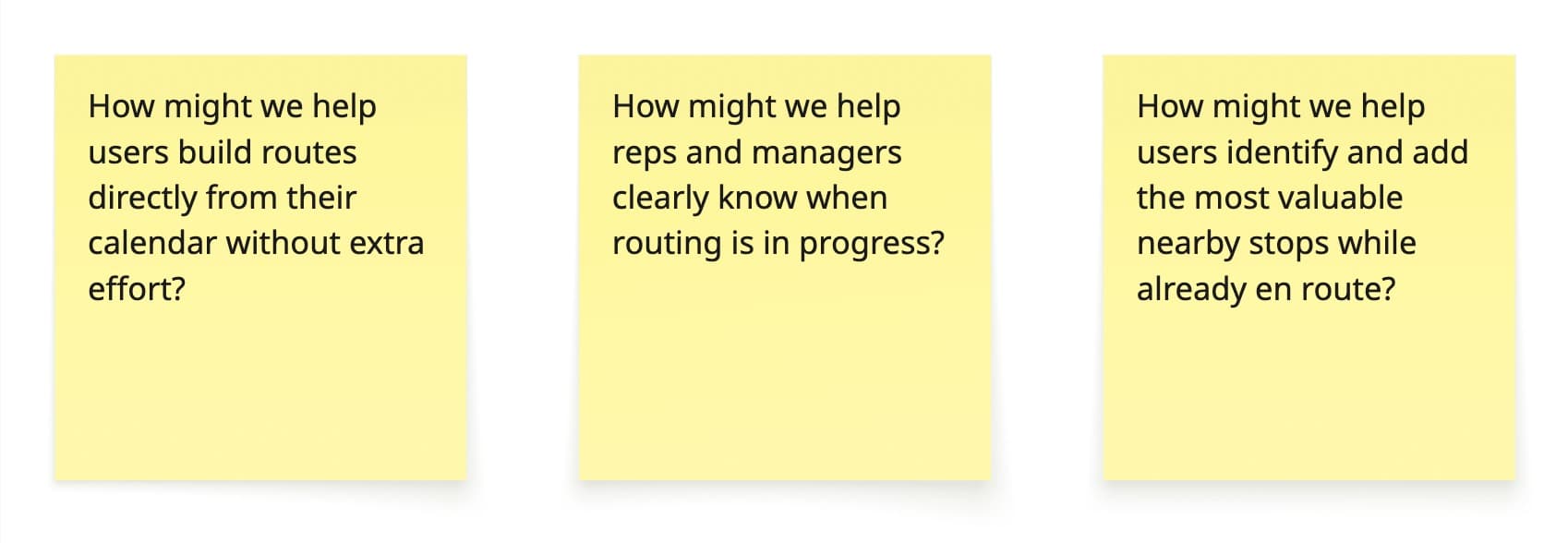
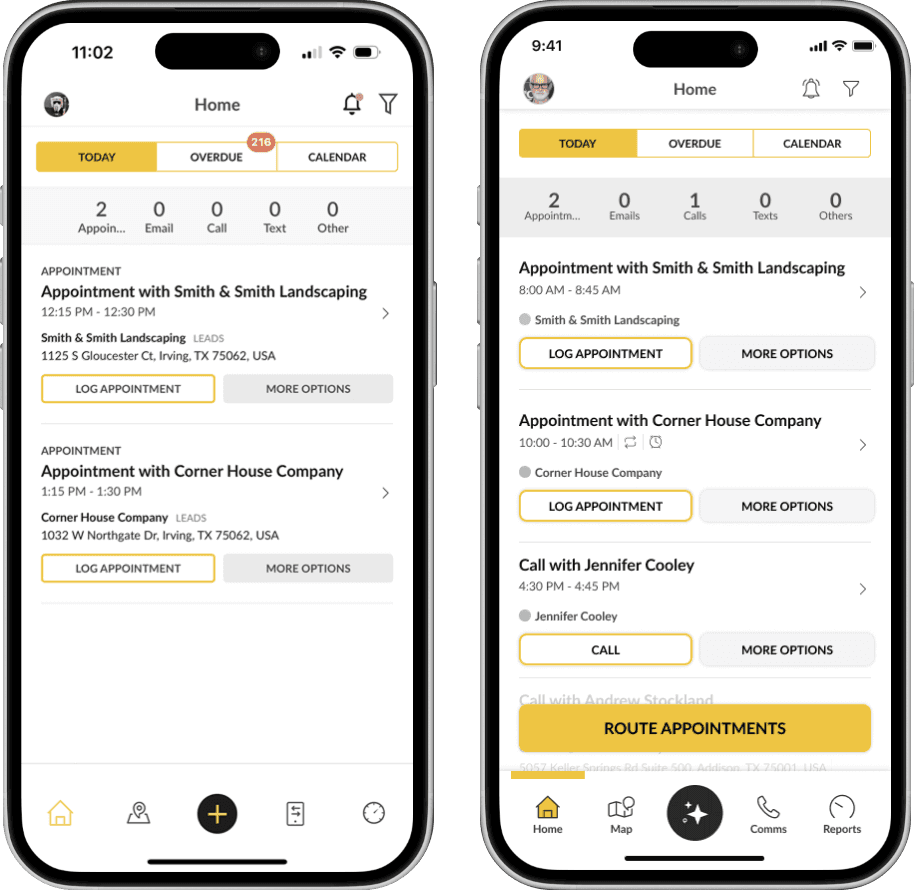
Route Appointments Button
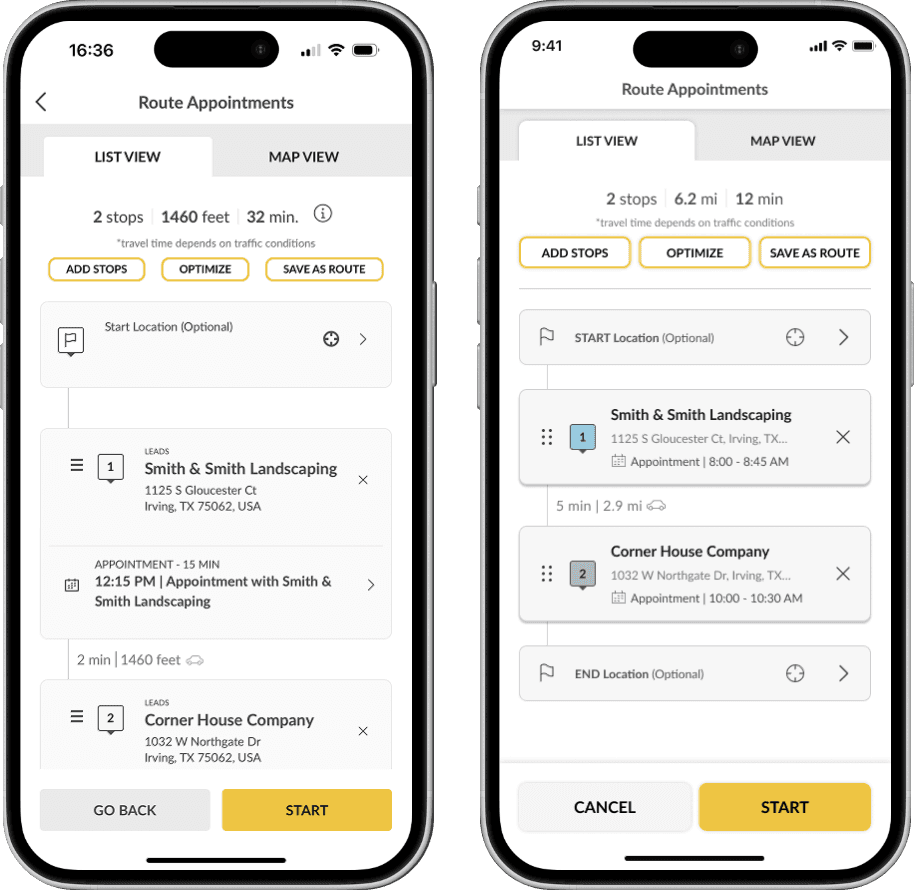
A dedicated button on the home screen lets reps route their scheduled calendar activities in a single tap. No more hunting through menus or manually rebuilding routes before the day begins.
Persistent Active Route Banner
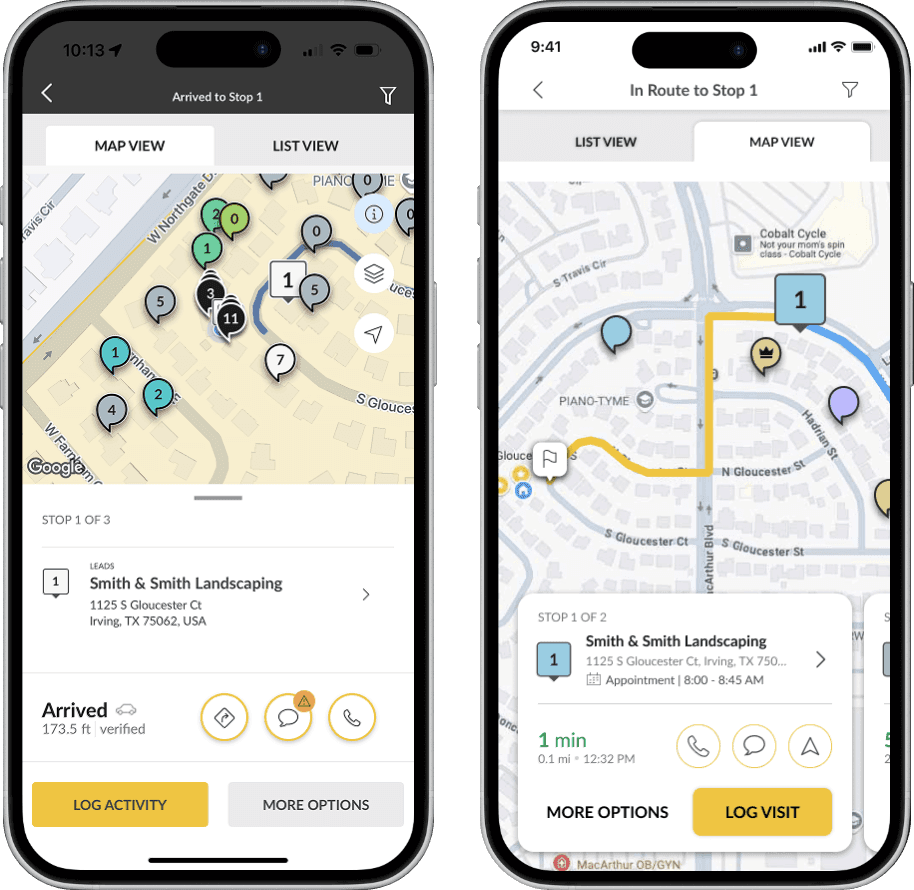
A header banner persists across the entire interface while routing is active. Reps always know their route status, and can return with one tap from anywhere in the app.
Nearby Records on Map
The route map now surfaces nearby records based on proximity and priority. Reps can evaluate and add stops directly from the map without ever leaving the routing context.
What Shipped
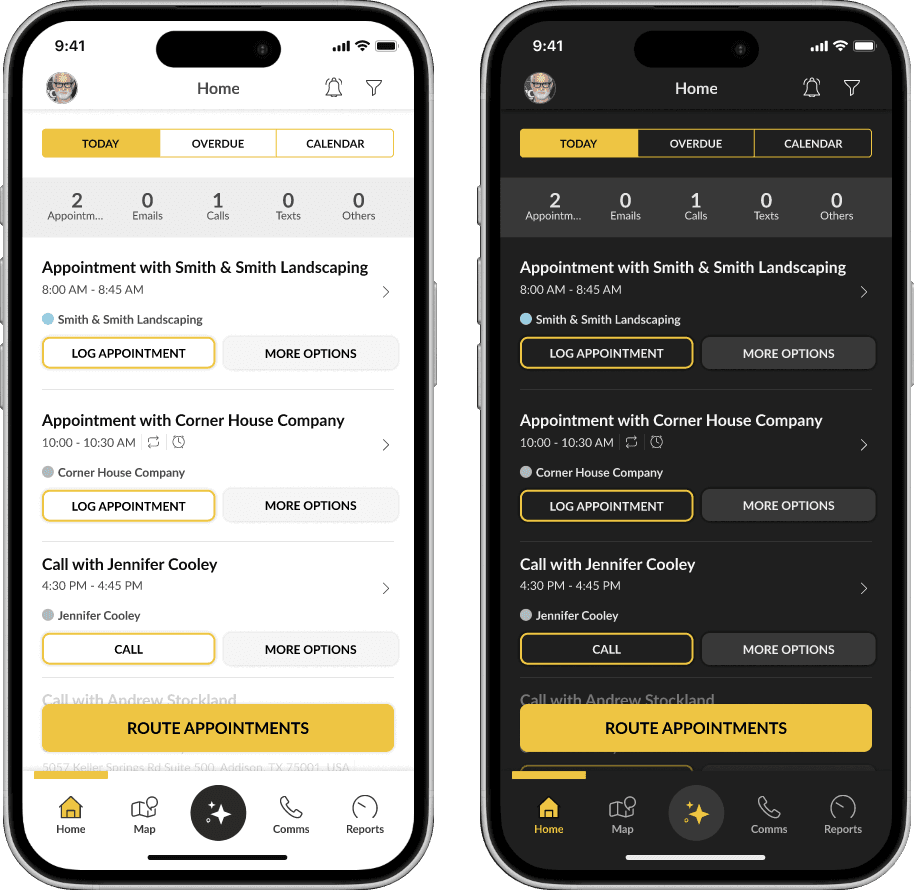
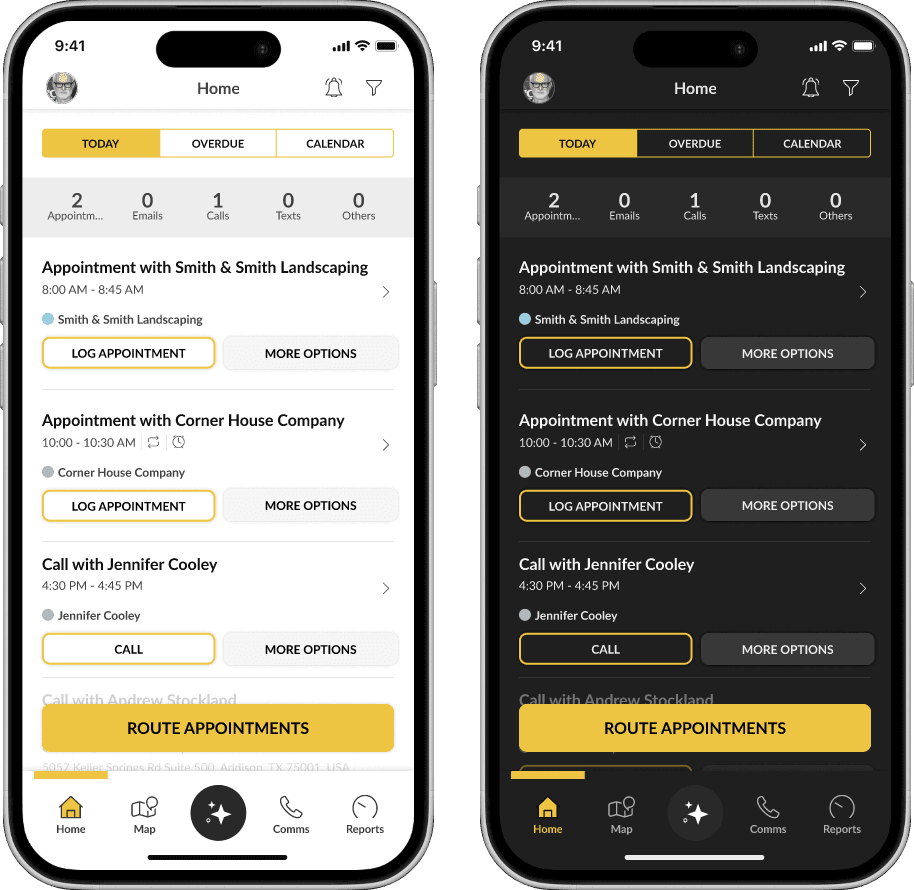
Light & dark mode, system-wide
Beyond the three core solutions, the project included a full redesign of the header, stop cards, and bottom navigation — plus component library updates committed back to the design system.
Key Learnings
What this project taught me
Design for the field, not the office
Real-world field shadowing revealed friction invisible from a desk. Reps are distracted, time-pressured, and often working from a parking lot. Designs that require sustained attention fail them.
Familiar patterns reduce cognitive load
We leaned on established mobile patterns rather than inventing new interactions. When reps already know how something works, speed improves immediately — no learning curve in the field.
Clarity in feedback is a feature
The persistent banner answered a real question users had constantly: 'Am I still routing?' Persistent status communication is as important as the core interaction itself.